Never forget to sign a permission slip again.
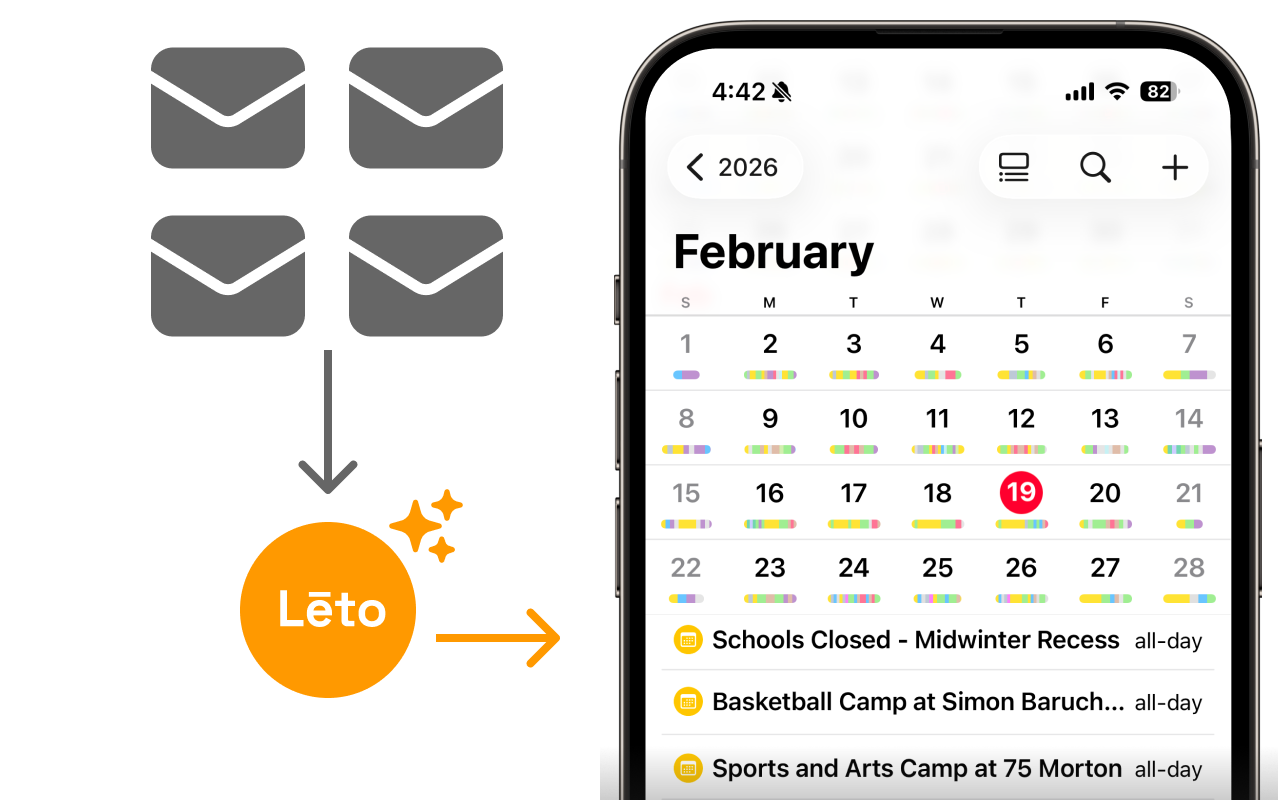
Leto turns your emails into tasks and events, delivered straight to your calendar—automatically.
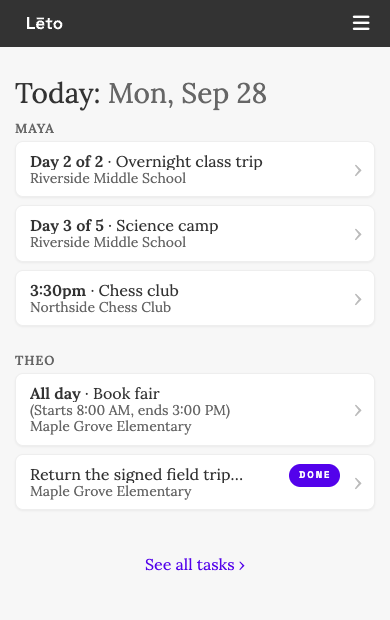
What do I need to do today?
- Open Leto and that's the first thing you see.
- One section per child, with today's tasks and events.
- Tap Done and it's off your list.
What Leto does for your family

Tasks and Events, Extracted
Permission slips, Family Fridays, Spirit Week details—we tell you what you need to know.

Smart Sender Discovery
Leto identifies your school-related senders automatically. You confirm—we do the rest.

Up to 3 Inboxes
Connect up to 3 email accounts. School emails scattered across parents? Everyone’s covered.

Calendar Feed
Events and tasks with deadlines appear in any calendar apps your family already uses.

Daily SMS Reminders
Get a daily reminder of what’s coming up, and take back the anxiety from Scary Sundays.

Household Access
Everyone gets a login—stay in sync with your partner, nanny, nonna, nama, or nana.
Bring Leto to your PTA for free
How do I join my PTA on Leto?
There are two ways to join Leto via a PTA Partnership:
- If your PTA has provided an email whitelist for verification, simply sign up and you’ll be connected.
- Sign up through the unique link your PTA shared
No PTA partnership? No problem.
Connect your own inbox and Leto processes emails from any sender you choose—whether or not your school has partnered with us. It’s free either way.
If you want your whole school community to benefit, invite your PTA to partner with Leto. Then every family gets the organization’s emails automatically, with nothing to set up.
Your data is safe
Your data is encrypted, access is view-only, and we never sell your information. Learn more about Leto's security practices.
Frequently Asked Questions
Does Leto read my emails?
Leto only processes emails from senders you explicitly choose. We never process your full inbox. When you connect your email, we check sender names and subject lines to show you who is emailing you. You pick which senders Leto processes. Only then do we extract tasks and events from those emails.
Which calendars do you support?
Any calendar app that supports iCal feeds: Apple Calendar, Google Calendar, Outlook, and more. Subscribe once and your calendar stays up to date automatically.
Can both parents use Leto?
Yes. Each parent gets their own login, the same family tasks, and their own calendar feed.
What if my school doesn’t use Leto?
Leto works independently. Connect your inbox and we process emails from any sender you choose—no school or PTA partnership required.
What does it cost?
Nothing. Leto is free for every family—every feature, no credit card. If your school or organization partners with Leto, its emails arrive automatically; connect your own inbox and we’ll handle mail from any sender you choose.
Ready to stop digging through emails?
Leto is free. Tasks extracted, events on your calendar, nothing missed.