Turn Your Gmail Into a Family Task Manager
Leto connects to your Gmail and automatically extracts tasks, events, and deadlines from school emails—so nothing falls through the cracks.
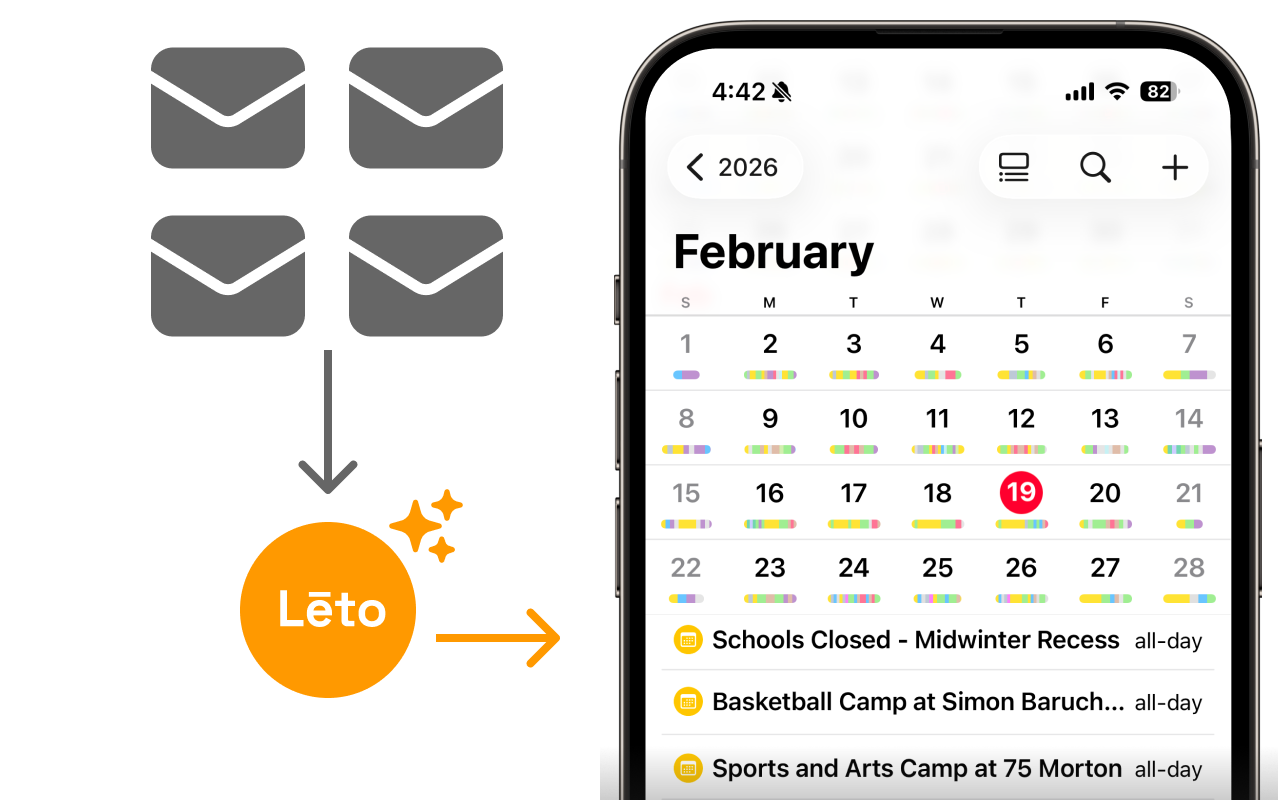
How It Works
Connect to your Gmail
Sign in with your Google account. Leto can only view your emails—it can never send, delete, or change anything in your inbox. You can disconnect at any time.
Tasks & Events Extracted
Join your child’s school or PTA organization on Leto. You choose which senders to follow—only those emails get processed.
Delivered to Google Calendar
Leto pulls out action items, dates, and deadlines. Tasks and events appear in your dashboard and calendar automatically.
Your privacy comes first
View-only access
Leto only processes emails from senders you approve. We can never send, delete, or modify anything in your inbox.
You choose which senders we process
We check sender names and subject lines first—like reading the outside of an envelope. You approve which senders we process. Only then do we extract tasks and events from the email body.
AES-256 encryption
All personal data is encrypted at rest and in transit. Email content is encrypted during processing and deleted after extraction.
NIST-compliant, independently verified security
We follow NIST security guidelines and our security practices are independently verified. Learn more about our security practices →
Gmail and Google Workspace
Leto currently supports Gmail and Google Workspace accounts. Connect your personal Gmail or your organization’s Google Workspace email to get started.
Ready to organize your school emails?
Leto is free for every family. Connect your Gmail and we’ll take it from there.